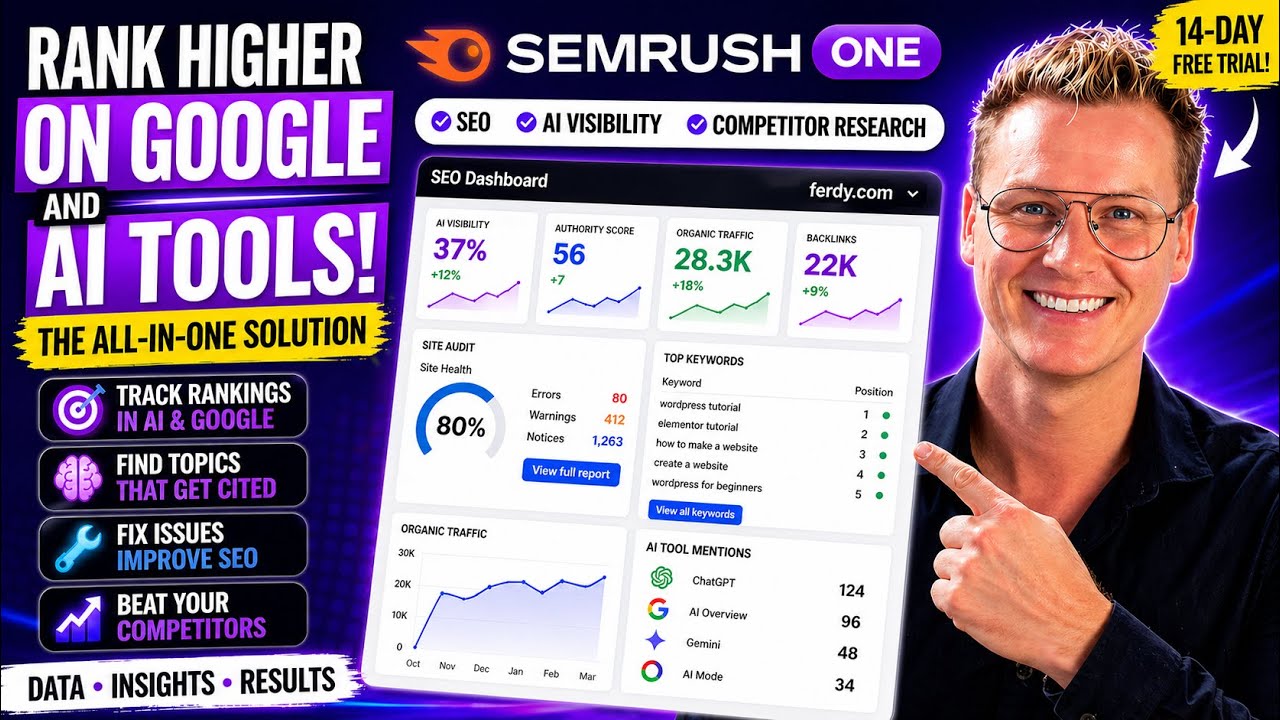
AI Is Killing SEO?! Rank in Google & AI with Semrush One (FULL Tutorial)
The web industry is changing fast. When you
search for something today, the first result oftentimes is an AI -generated search result, not
a website. That means fewer clicks on traditional search results and a bigger chance that your
website will be shown less and less. So if you want to stay in the game, you need to adapt.
And that's where Samra's One comes in. I will show you how Samra's One combines powerful tools
in one platform, giving you the data, insights, and workflow to win. Whether people search for
Google or ask AI. Full disclaimer, this tutorial is sponsored by Semrush, but as you know by now,
I only make tutorials about tools I really like. So in this tutorial, we're going to do two things.
The first one is, I will show you with Semrush One, how we can get all the statistics to see how
your website is performing.
And the second thing is showing you how Semrush One can help you to
show exactly what you need to do in order to be found better in all search results. Before we
get started, two more practical things. In the description of this tutorial, I have timestamps,
so if you want to go to a specific part in the tutorial, you can click on the timestamp and
you go directly to that part of the tutorial. When I go to fast for you, you can go to the
settings here at YouTube, go to playback speed and slow down the speed of the tutorial. And if you
want to go back a few seconds in the video, just hit the left arrow on your keyboard and you will
go back five seconds in the video. And now if you want to, you can go to the YouTube settings and
change the audio track to a different language. So ladies and gentlemen, let's get started.
Normally you can make use of a seven day free trial for Semrush, but I have a special deal for
you.
You can get an exclusive 14 day free trial using the link ferdy.com/Semrush. Hit enter. You
can also use the link in the description or the link in the first comment. This is an affiliate
link. And then you arrive on this landing page. Normally you can get started for free for seven
days, but because of my special affiliate link, you can get a 14 day Semrush one starter
trial. So click over here, try it for 14 days, and then you can continue with Google or filling
your email address.
I will fill in my email address, create a password. If you want to, you
can receive news and SEO tips from Semrush. I check that and then I click on create account. I
need to verify my email, so let me copy this code. I need to fill in my credit card details and
then after 14 days, I will be charged for the first month. So I can use it for free for 14 days.
Semrush 1 has three plans. Start is for beginners, essential SEO tools plus AI visibility and content
optimization to rank faster. The pro plus plan is for growing brands. You get more websites, more
keywords and content optimization to rank faster. And then there's advanced for power users and
agencies.
It's maximum of everything. Plus API access to plug cameras data directly into your
own tools and workflows. No matter which plan you choose, you get both the classic AI and AI
search covered in one place. And that is what makes it offer unique. If you have a business,
you can fill in your VAT number. So I click over here on subscribe and I click on continue.
I can invite others, I skip that for now. Now it's time to fill in our own website or if you
want to, you can use a random website to see what kind of results it shows.
I will go with my own
website ferdy.com. The first thing I want to do, I want to enter my website. So I say over here,
httpser://ferdy.com and I click on start now. So what we see over here, it can look
overwhelming, but let me walk you through it. There's a lot of information over here.
So let me walk you through it. Over here, AI search. How many times is my website indexed
by AI tools like chat GPT, AI overview, AI mode, Gemini. This is on a scale from zero to a hundred.
I mentioned one on the one times of all my website pages, 37 are indexed in AI tools. And I see over
here, which one. Then we have the good old SEO. This is the authority score of my website. If you
use paid keywords, you see the amount of keywords that you use. There's the organic traffic. And
then over here, the amount of domains that are linking to my website.
And of all those domains,
there are a total of 22 ,000 links toward my website. And then there are organic keywords.
So this is traffic to the search results, and this is on how many keywords I am ranked
in the search results. Then we scroll down, position tracking. Well, there's not a lot of
information over here yet because I just uploaded my website, but over here I see my top keywords
that I'm ranking for. Then we have the site audit, the overall site health, how many pages are
crawled. So there are so many more pages that are not crawled yet.
As you see 80 to have issues. So
as I said before, I can see the information over here, but Semrush is also helping me to fix
those issues. So here we see all the errors, all the wording. So there's a lot to be done over
here. We can get more information. If we set up those four tools, I'll do that in a minute. And
here are the traffic analytics. How many visits, a lot less than the month before unique visitors,
base visits, average visit duration is really good. And the bounce rate, how many people go from
my website at once without clicking on anything. So I can see this for the last six months. And
over here, I see how many people went directly to my website, referrals, organic search, social,
and email. I can also turn a few off if I want to. So I want to have direct versus
email. I only see those two lines. Then organic rankings from the United States on
a desktop.
How many people are linking towards my website? This is really important in order to
rank better in the search results. And it's also really important that websites are linking to you
with a high authority. So I want to have a high percentage over here at the top. and the lower
percentage here at the bottom. And here you can see which websites there are. With Semrush, you
can connect with different tools so you can get more data. The more data you can collect about
your website, the more Semrush can help you to improve the quality and the searchability of your
website. And the great thing, it's really easy to set everything up. So let me show you how we
can do that. So in order to get more information, I can connect my Google services by clicking here.
I give Semrush access like that. I click on save. Now if I scroll down, I see more information.
Over here, I also see more information. So I suggest you do that and you can also go
over here, on -page SEO checker, backlink audit, organic traffic insights and link building tool.
You can click on setup and walk through the steps and as you see, then you get even more information
about your website.
So now you see more information on on -page SEO checker. So let me do
the other ones, setup and walk through the steps. There you go. Let me connect Google Search
Console. So I grab this Gmail account, select my website, add a user. There you go. Add
it. Here at the dashboard, I go to the third one, organic traffic insights, connect Google
accounts and the link building tool. So I added a few competitors.
I click on start link building. So now over here at our SEO dashboard,
we have so much more information. You see it all in one overview. And if you want to
learn more about specific details, you can click on it and then you go to a page where there's
even more information.
About this subject. So you can click on it, or here at the left sidebar,
you can get more information about your domain, organic rankings, top pages. And if you click on
it, it can be that you have to fill some details. So again, I will upload my domain over here, I
click on search, and then I get more information. So you want more in -depth information, click
over here.
You want to have an overview, go to the SEO dashboard. So let's talk about
AI searchability. This is a huge opportunity and Semrush 1 can help you to figure out
what you need to do in order to be found better in the AI world. results. So let's take
a look at that. Now let's go to AI over here. So the first thing we need to do, we need to
enter our domain again, https://ferdy.com. I click on check AI visibility. So
it says it's quite low for ferdy.com, so there is room for improvement and that's
why I use this tool. So if I hover over here, the average industry of my competitors is 29. So
right now I'm at 18, so I'm going to use Semrush to increase this to at least 29. So when it comes
to mentions, how many prompts are there that will make the AI tools show our website or content
of our website? And if you click on it, you see which prompts trigger a response that mentions
our website. You can also see the full response. So here we are at the prompt step.
If I go back to
topics, I see which topics are performing really well, when people fill in a prompt about this
topic. Let's go back up, there is citations, that's the amount of time my domain is mentioned
in the response of the prompt, and then cited pages, how many pages of my website are shown in
the results of prompts on all the AI tools.
Then over here we have the monthly audience, I see an
increase which is good of course. AI visibility, so where are we mentioned the most? Here's the
distribution by element based on mentions or cited pages. And what I like is that I see over here
in which countries I mentioned the most because I focus with ferdy.com on people in the United
States. So that's a good thing. If I scroll down, this is where we can spend a lot of time. Right
now, the first step, you're performing topics, which topics are performing really well
so far. So my name, Ferdy Korpershoek and related content, the Bloxy theme, the hello
element or child themes. So here we see all the topics and here we see the prompts. So when people
fill in the prompt, move website to a new domain, I appear at Google and over here I can see
the full response. Well, if you want to be found better and get this number higher, then
when you take a look at topic opportunities. If you want to fine tune these results, we can
fill in some competitors.
So wordpress . org, let's say wpbeginner . com, wpcrafter . com, Daryl
Wilson, and I can get rid of this one, and then I can click on analyze. So this is even better.
So I could start writing about startup name IDs, all the software we needed to create a website.
So I can talk about WordPress, about Shopify, about Wix, Squarespace. So here I can get
the ideas and when I start to implement that, then I will be indexed more. So
here are the topic opportunities and the more you fill in your competitors over
here, the better results you get over here. Then cited sources, how many times am I mentioned
through YouTube and other big resources. Source opportunities, so here you see my
competitors. which are mentioned a lot, and here I can get inspiration. So I should write more
content about creating an e -commerce website, how to build an e -commerce website, make your
own booking website, and if I start doing that, then I will be placed more over here. So also
here, I can get a lot of information that can help me to find subjects to make content about.
And
then the latest one, cited pages. So over here, I see all the cited pages at ferdy.com. And right
now my website is not too big, but if your website becomes bigger, you can see the number of prompts
and the more you have, the more you're doing the right thing for that particular page. So if
I would take this one, I can take a look, what are the prompts and what am I doing on
this page, which makes me be cited more than one where I'm not cited at all. So I can
analyze the pages that are cited the most and then apply the same principles to pages that
are cited less. So also this is an overview page. I can also decide over here to filter things,
so let's say I only want to talk about ChatGPT, even lower. If I go to AI overview, it's
a bit higher again, AI mode. So I can see per platform, how well I am doing. We all want to
be found better. One good way to be found better is to take a look at what our competitors
are doing and what is working for them and what is not working for them.
Semrush
knows that the only thing you need to do is fill in the websites of your competitors.
So let me show you how you can do that, and then you can see what you need to do in
order to perform better than your competitors. Then we can go to competitor research. So
what we see over here, we have a few other domains that are competitors of mine, and if you
want to analyze that, you can click over here. I've done it already. So what you can
do now over here, if you scroll down, you see topics and prompts. So if I take a
look at those four websites of competitors, there are a few subjects that people mention on
their website. If I see a big spike over here, Daryl Wilson talks about logo creation tools, and
over here I see online money making strategies, also a big spike. So I can click on it and then I
see the prompts. So when people fill in the prompt on Google, how to get cash online, Daryl Wilson
will be mentioned.
If I want to be mentioned, over here I see I'm not mentioned at all, I
should write more about how to get cash online, different ways to get money, ways of making
money. So when people fill that in at Google, I can be shown over here in the search results.
So this is a great way to take a look at your competitors on which subjects they are cited. What
you also can do is fill in your own prompts and based on those prompts, see what you need to do
in order to be found better in the search results, both SEO and AI based on the prompt you fill in
over here or the prompt you want to be found on. You can also go to prompt research and fill in
your own prompt and see what the results are, if that's something you could write content about.
So I can say WordPress.
Let's go for hosting and development. So you see 330 ,000 topics
within the AI world. And if I click over here, this is what I could write about. Best WordPress
websites, WordPress integrations, best WordPress plugins, best WordPress managed hosting. So
here I get five ideas to create content about, so I can be added in the prompts of all
those AI tools. I can also go to the prompts and make sure I create content with all
those titles, fastest hosting WordPress, WordPress management company, WordPress
website company, plugins, WordPress, and then create content about
that. I can go to brands, Hostinger, I can write information about
Hostinger, about WordPress, SiteGround, WP Engine, and then we have source domain. So I can
take a look at the domains of people that are mentioned.
Of course, there's YouTube,
WordPress . org. So I scroll down, if I click over here, so there's
YouTube, I click over here, and these are videos I can all take a look at.
Hey there, this is a friend I met last week, super cool for the first time in my life, Simon, really
nice guy. But now I know this content is really popular. So I can also create content similar to
this. And it's already in my niche, Siren News. So in that way, I can get inspired.
I can go to other websites, see the kind of content is shown over here,
because this is doing really well in the AI search results.

So let me click over here,
build a site that stands out on wordpress . com. So I can take a look at this information and
create something similar. If I start doing that, keep persistent in that, I can also start
to rank better. the AI search results. This is my favorite part, brand performance. We
need to fill in our website again, and then we get personal advice on what we can do in order
to be found better in the search results. And it becomes really personal, as if a person is giving
us manual advice, but it's all generated using AI. Let me show you how that works. Next, let's take a
look at brand performance. How well is our website doing? So I enter my domain, HTTPS. ferdy.com,
I click on analyze and I go for United States. The language is English, I click on get started
and this can take a few minutes, so I'll be back with you when it's loaded.
So there is so much
to cover over here. Let's start with share of voice versus sentiment. This is an overview
of things that are contained in this page, but if you want to go to the specific areas, you
can go to those specific areas over here. What I'd like to do over here, I turn off other. What I see
is two things, share of voice versus sentiment, like how big is my voice in this industry? And
then the second one is how high is the sentiment? Do people like me or don't they like me? Or if
you take a look at Elementor for instance, their sentiment score is 50%.
Why? Because oftentimes
people don't like the updates they are doing, they focus on other things, that's why it's so
low. If you take a look at the top performing one, WPBeginner, it has a really high sentiment score.
So a lot of people like what they're creating. And then there's mine, 88 .2%. And that's also how
I want to come across as a friendly guy.
Sometimes people ask me to bash certain tools and I say,
I don't do that. I only want to talk positively about things. And if I don't think positively
about it, I make no tutorials about them. And that's why my sentiment score is really high. Then
there's the share of voice. How much influence do I have in this industry? So over here, you see
WPBeginner 6 .4, Authority Hacker 5%. WPTAS 7 .4. WP Crafter 9 .6, Elementor even more 10
.2. So if I'm like I want to be liked more, I can take a look at the sentiment score. If
it's low, I can decide to be more positive. There's so much more.
Overall sentiment, well
people seem to like me, that's what I like. And then there's a share of voice. How big is
my voice in this industry? If I remove others, I see 35%. WP Crafter, a lot bigger.
Elementor, a lot bigger. So I could make more content about WordPress, so my share
of voice becomes bigger. That's the feedback I get from this. I scroll down and then I
see the key business drivers by frequency. So I focus on visual design and on complete
tutorials, so end -to -end build guidance, beginner hand -holding instructions. So that's
how I focus on my English, not my main language, and I want my tutorials to be complete. So people
are not in the dark at the end of the tutorial, like what should I do next? And Semrush is seeing
that. What I don't like is that Authority Hacker is winning in this area.
So what I could do
based on this information, decide to be even more complete in my tutorials. So over here, I
see how I am doing. And what I see irregularly updated tutorial content, that's something that
comes back now and then. That's what I'm not that good at. So I should make more tutorials about the
relevant tools because tools are updating really fast. So I should make more tutorials, update
my tutorials more often. So that's feedback. It can literally help me to create more blog
posts and more tutorials.
Over here, I see the comparisons with all the competitors side
by side. So with Authority Hacker, WPBeginner, and I see who's winning. So I can take a look
at their content. Let's see if someone is doing better than me. For instance, page builder
ecosystem, I could take a look at tutorials from Elementor and see how I can implement it myself
more. So make more tutorials about page builders and which one are the best. If I want to
grow in this area, this is super cool. It tells me literally what I can do in a short
timeframe, medium timeframe, urgent timeframe. So it tells me literally what I should do in
order to be found better in the AI results. So that's the brand performance, but wait,
there is more. Look at this perception. Again, there is an overview with insights. Over here,
we have the competitive perception by platform, by chat GPT. I'm doing quite well. WPBeginner is
doing better. I scroll down and then over here I literally see what I can improve.
They say what
I'm doing really great, friendly, beginner, calm, step -by -step teaching style that assumes
no prior experience. Well, that's exactly where I stand for. And then over here there are
errors for improvement. It's literally telling me what I should do. Teaching is heavily page builder
centric and somehow outdated relative to modern blog editor, full -size editing practices. So
they say you should make more content about this. focus on implementation more than fundamentals,
lacks depth in advanced WordPress SEO. So I could make more advanced WordPress tutorials, more
advanced SEO tutorials, business strategy skills. So it's telling me literally what I should do
if I want to be found more in the AI results. Also here, a lot of comparisons. So I'm here,
I'm doing not too well, performance, security, and WP Tuts is doing a lot about that. So I
can take a look at what he's doing in that area and see if I can implement it a bit more. So
I can also be found better in the AI results in this area.
Dimensions. Well, I
mentioned a lot. I'm happy with that here, not too much, but I'm also not talking
too much about that. So it's pretty accurate when I take a look at all these statistics.
And over here, I see where I'm doing great. Step -by -step full website tutorials, 100%.
So if I want to increase in these areas, focus on tools and setup, for instance, a lot of
different WordPress tools, I could improve that because I'm not mentioned too much in this area
compared to others. Let's go to narrative drivers. Insights for this page, share of voice by
platform, so it's not too big on chatgpt. And then over here, it says this is
for the pay plan. So what does it mean? I need to get seminars one, I'm still on
a free trial of 14 days. After 14 days, these options are available to me. If I really
want to get them, click over here, and I can pay now. And if I don't do that, then after two weeks,
I get access to to this. But right now, everything we use is still free.
We can cancel if you want
to, and still make use of all this information and it's telling us a lot. So again, share our
voice, the amount we are mentioned could be more than the average position, which is also one of
the lowest. It's the lowest of all those people. But as I said before, I got a lot of
tips from Semrush to improve myself. Top domains by citation, and I'm barely cited
yet. Three citations versus 151 on Reddit, well Reddit is a really big website, Udemy also,
all those are really big websites, but if I start to implement what I've learned so far, I could
get this to a higher number. A deeper dive, so these are questions that are answered and I
see over here I'm doing really well, number one, number two on these questions, and I see I'm doing
pretty well in comparison with my competitors. Then there are other tools or other tabs, answers.
Do I answer Why do so many people recommend Ferdy for WordPress over Daryl Wilson or Tyler Moore?
Really nice. Well, probably because my English is a bit simpler and I'm more good looking.
No,
just kidding. So really interesting that people are asking those questions. Let's go to the
questions and based on all the information, the bigger this part is, the more people want to learn
about this. So about blogging, SEO, affiliate, authority sites, beginner WordPress tutorials. and
then the smaller part is about Elementor, design, users. So if I want to get a larger group of
people to follow my tutorials, I should talk about blogging, SEO, affiliate, and if I want to focus
on a more narrow group, but give them a really amazing experience, then I can focus on Elementor,
design, user experience, hosting, tool security. What do people want to learn? Do they want to be
educated? Do they want to do research, compare things, or just get support? Well, education is on
top, so I prefer to fix on that, to focus on that. And here I can see per topic what people are
searching for the most.
Well, I'm all about education. If you take a look at blogging, SEO and
affiliates, people are more about research. So if I would see for instance that with affiliates,
people are all about comparisons, I could make more comparison content instead of education.
Here is education on top again and by far. So you see it breaks down multiple topics.
Subjects, and again over here I get AI strategic opportunities, all with an urgent time frame, and
it says literally what I should do. You can also skip this and go for the recommendations. Codify
a brand promise like from zero to tech skills, to live WordPress site. Create an updated flagship
WordPress for absolute beginners series that goes from idea to launch. Add a language level and tech
jargon explanations on screen, tooltips, callouts, PDFs, so beginners feel seen. Reinforce social
proof by collecting and showcasing testimonials from non -technical users who launched their first
site. This is what I did before I stopped doing that.
So here it says you should do that again
and it's only this area. There's so much more. So in this way, Semrush is helping me to take certain
actions so I will be found better in the AI results and in that way beat my competition. What
Google and AI tools really don't like are broken links, broken websites, websites with errors.
So what you can do, you can do a site audit with Semrush 1. And then you can see how healthy your
website is, but not only that, you can also see what you need to fix in order to make your website
more healthy.
And a more healthy website, the better you will be found in the search results.
So really important to apply this to your own website. Let's go to site audit. Really important,
my website is already crawled. You get 100 pages that are crawled with this version of Semrush.
My site health is 80%. I can make it better by taking a look at the errors, the warnings
and the crawlability.
So let's go to the errors and it tells me literally what's going on. 65
internal links are broken. So I can click on it and see which they are. And I know it's true
because I have a Dutch variant on my website and I removed it so it's not working anymore. So
I should definitely get rid of that. And if I fix those errors, which Shamrush shows me, my health
also increases and I'll be found better because Google and AI hates websites that are not
properly working. So I can go back to all issues. What else? Five issues with duplicate title tags,
three pages with the title, how to make a website 2026.
So I should fix that. Give them all another
title. Also with this one, it's twice the same. I can go back two pages, duplicate content.
So if I take a look over here and over here, let me click here and click here. So
one is a blog post, one is a tutorial with the same content over here. as you see. So
Google doesn't like that. So what I should do, this is the tutorial, so I should get rid of
this text. Leave the text here at the blog post, get rid of it over here. And the great
thing is that Semrush pointed this out to me and if I fix this and I refresh it, it will
be crawled again and those issues are gone. My website health increases and I will be found
better both in the search results and in the AI tools results.
If there are specific prompts
you want to be found on, you can fill those in, make a list of all the prompts you
want to be found on and then you'll see how you are doing and what you need to do in order
to be found better on those particular prompts. Let's go to prompt tracking. If I want to be found
on a certain subject, I can create an SEO project, https://ferdy.com, is WordPress. I want
to be found more on WordPress topics. So I click on create SEO project and focus on the
United States, English, continue to prompts and the prompt is WordPress, WordPress for
beginners, WordPress tutorials or tutorial. Okay. Scroll down and I click on start tracking and
then it sends me weekly ranking updates via email. So there it is.
AI visibility, zero
percent. average precision. So there is something going on over here because I'm indexed
probably. It's the March the 19th, I'm indexed one time on page two. So search results 11 to 20 and I'm ranking, trying to rank for those
three, WordPress, WordPress for beginners and WordPress tutorials. So somebody had a prompt
WordPress tutorial and I came here at position 13. So the more prompts I have, the more information
I get over here. This is just a hour ago, so add a lot of prompts and then you can see
when you are indexed.
And of course, now it's a matter of creating content about those prompts.
So I should create more content about WordPress tutorial, WordPress for beginners, WordPress,
and then I'll see how well I am ranking. Over here, I see the source, so that's a good
thing. So that's how you can use prompt tracking. Semrush also has another feature, content
creation. It can help you to create content for your website. This is a different service.
So let me show you what you can do with that. Then we can go to content creation. This
can help you to create content. This is a different service. You can try it for free and
after that it is $60 per month. So if you want to learn more about that, click on content creation.
So ladies and gentlemen, if we take a look at SEO, we see an overview of how we are doing.
If we go to AI, we click on our website, we see how we are doing when it comes to AI,
and you've learned over here what you can do in order to create content that will help you
to be found better in both the search results as in the AI results.
I want to thank you for
watching this tutorial. I hope it was helpful. If it was, please like the video or feel free to
subscribe for more upcoming tutorials on how to make websites, how to work with AI, and I wish
you the best of luck with your business. Ciao..