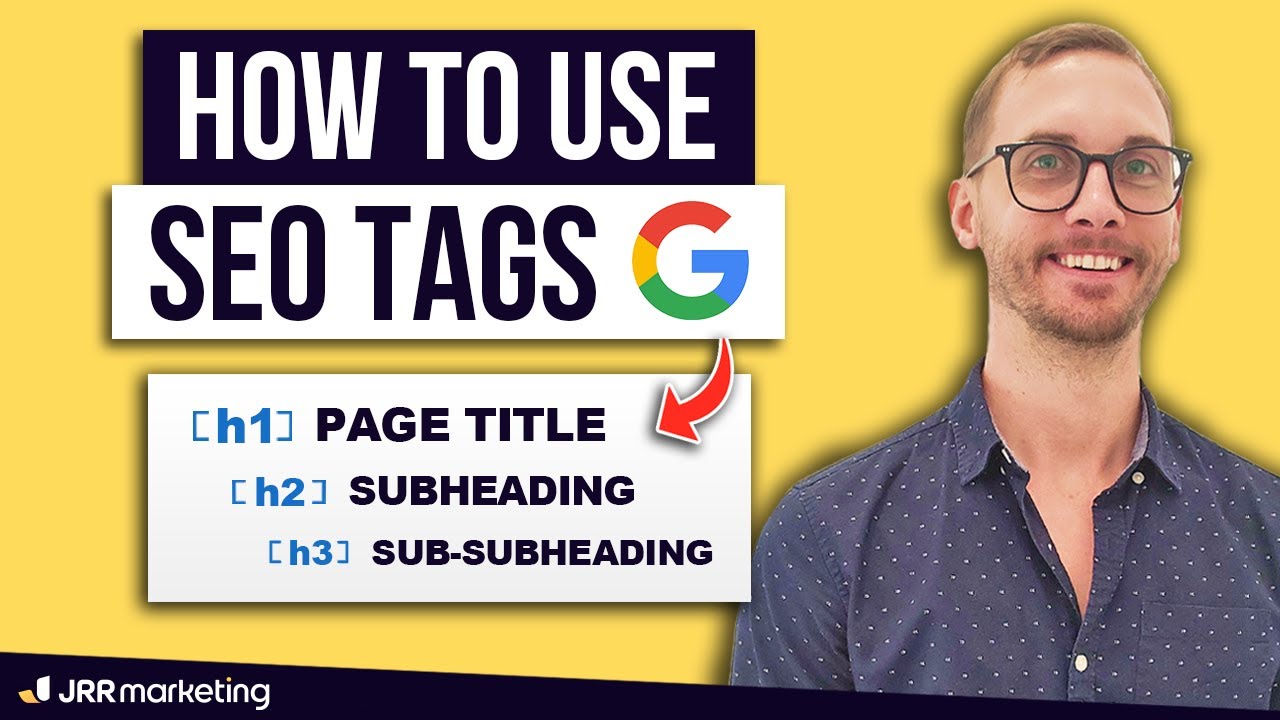
How to Use H1 H2 H3 Tags for SEO (1000+ Pages Optimised This Year)
My team and I have optimised over a thousand pages for SEO this year and I'm going to show you how to use h1, h2, h3 tags and so on for SEO properly. It's very, very easy to understand. So basically every page on the internet is crawled and scanned by robots in the same way, right? So robots kind of come to these pages, it might be a landing page, it might be a blog post, but the way that it scans it and sees a web page is like this.
It's all text, ones and zeros, all that kind of stuff. And the reason why these tags are so important is it helps these robots understand the context of what the page is about. So it might want to come to this landing page, for example, and being like, oh, what is this page about? And so the first thing that scans is what we call the h1 tag. So the h1 tag is usually the page title and basically the first thing that bots see like on this landing page up here. And this title or this h1 tag, you want to make sure that your focus keyword or the keyword you're trying to go for is mentioned at least once throughout that. For example, this one here, the keyword might be employer sponsored visa Sydney, right? The long tail keyword. So that's been injected here and that's been purposely made as a h1 tag, right? And we've shrunk it down. Whereas a blog post, right? The title might be the h1 tag.
So you might see that the actual title is the h1 tag, but the focus keyword might be, is Google Ads worth it, right? And I know correctly, you'd say are Google Ads worth it, but I think the actual keyword was that, but you get the idea. And so you're only allowed one of these per page, only one h1 tag. And the reason why is because you'll confuse Google if you've got more than h1, one h1 tag, because you're basically telling it two different things. This page is about this, but it's also about this. It just, Google does not want to see that and search engines don't want to see that. They want to just see one h1 tag. And also a bit more nuanced is that what hrefs has here, it only wants to see that h1 tag as the first thing on the page, not hidden below a few different sections.
And you've got the h1 tag, a few different spots below. Black Hat SEO, some people have tried to like make the h1 tag not found or hidden somewhere on the page, which is a big no-no. Try not to break the rules here. These are the rules and you've got to have at least one h1 tag and it's going to be visible as the first thing that the bot sees. Okay. It doesn't matter if it's a blog post or a landing page. And so how does the hierarchy kind of work afterwards? Well, aside from this h1 tag thing, which we've spoken about, you've got the sections below and you can have h2s, h3s, h4s, h5s, and so on. And so the way that this works is basically for a blog post, this is one entire section to the bot. Like the h2 is representative of the entire section. And then within that section, you might go deeper into the topics of that section related to the h2.
So this is a section within this section. And then this h4 is actually a section within this h3. And this h5 is a subsection within this. And it all makes sense because you can read it. You can say the best SEO practices, one of these practices is get high quality backlinks. And within high quality backlinks, we spoke even deeper, what are high quality backlinks? And within that, we spoke even deeper, what are the types of backlinks, et cetera, right? So that's one section. I might want to go in deeper and go another section on how to actually implement these practices. So I might create another h2 area and I might have different h3s and so on. And this is the same way you would structure a blog post is the same way you would structure a landing page. And I'll show you just here.
So right here, I've got the hero section or the first section on this page. And you can see that I've got the h1 tag just here, h2 tag here, h3 tags. These are all h3s, these USPs. And then where do I start a new section? I start a new section down here. When approval depends on the details. Where is that? So here, this is a new section. So the bot understands this is a new section and it doesn't have any h3s or h4s below it. It's just a new section, right? So if I go back over here, scroll down, okay, blah, blah, blah. And then I've got a new h2 below here, which is down here, right? And that's a new section. And I've got some h3s below that. So I don't really play around with h4s in this landing page too much. But basically, in a nutshell, you've got to think about it. Each h2 is kind of like the start of a new section and you're guiding the bot.
Now, how does this work for SEO? And how do you actually use it on web builders? The main thing to understand, and I'll get into it on the platform of how to change these tags, is you need to understand that the bot is just crawling your page to get some ideas or hints on what the page is about. So if the main topic of the page or main idea of the page is employer sponsored visas, every single section down here should semantically be related to visas. And how does Google know this? Well, Google compares the other top ranking pages on the internet about that topic to see if they share similarities on what words you're using on your page versus what they're using on their pages, if that makes sense. What you're trying to look for here is anything that's useless, you're trying to repurpose it or remove it. So if I go through and be like, okay, well, Sabina Candle here, the name is a tag.

It's not on this page at the moment, I'm saying for argument's sake. For argument's sake, if this was a h3, I'd be like, well, what the heck does that have to do with employer sponsored visas? Nothing. So I'm going to remove that. So I'm not going to remove Sabina, but I'm going to basically remove the HTML tag from the page. How do you do that? Well, basically on most web builders, this is WordPress using Elementor. I can click on it. And with most web builders, you're trying to look and find the HTML tag area. Sometimes it's called SEO tags. Sometimes it's called header tags. Sometimes it's called accessibility tags.
It's got different names across different builders on the internet, like Wix and Squarespace and stuff have different names for it. Basically you're trying to look for the word tag anywhere and try to see if it's got like H1, H2, H3, H4, et cetera. And then P, which stands for paragraph, et cetera. So if I'm like, oh, Sabina down here, I don't want that to be a certain H tag, whatever, I might have to change it. Now I don't think there's options in this widget for it. So I'd have to like expand and change all of the tags to be a certain element or manipulate it.
But most builders allow you to change the tag. Like this section is H2. These boxes here, these are H3s, et cetera. Some builders out there don't let you change it. Some builders don't even let you change the styling. So they might find that, oh, every H1 tag has got to be the same across the entire website. For example, Squarespace or Wix, you might find that you can't really edit the header tag styling. And so it's all going to be big, right? But other builders like Elementor, what you see in front of me is that I am able to manipulate the sizing so that I can add the focus keyword in here without taking away from the conversion rate kind of opportunity, which is trying to have a headline that doesn't really have the keyword in it, if that makes sense.
Okay. So that's pretty much it. It's a little bit easier when you're using like the blog editor inside of WordPress called Gutenberg. And you can literally just drag and drop and add different heading tags and things like that. But that's pretty much everything in a nutshell on how to use HTML, SEO tags, header tags, whatever you want to call them. This is exactly how you should be using them. It's got to be contextually relevant to the main H1 tag.
And then within each H2 tag, the H3 tag has got to be relevant to the H2. Then within the H3, I should use this as an example, within the H3, this has got to be relevant to the H2, and then so on. I've already kind of covered this. One big caveat, I think I mentioned already, but basically you cannot have the H1 underneath any tags. It's got to actually be the first thing that the bot sees.
So it needs to be like this, not like this over here. Okay. And try not to manipulate it. Some people have obviously tried to hide the H1 tag or make it a different color. So bots don't see it and stuff. But the thing is, bots crawl pages just like this, right? Don't get smart with search engines. Just try to follow the rules within the capabilities of what you can do within your builder. Make sure it's the first thing that people see. The H1 tag is the first thing that people see. Make sure you get rid of unrelated or tags that makes no sense to what the bot crawls. So if the bot is just looking for anything related to this, then you've got to make sure that most of these are contextually relevant to that. You might find that on other pages that are ranking high for employer sponsors, Visa, Sydney, within Australia, might have the word success rate or the phrase success rate mentioned on their pages. So Google's like, great. Okay.
That makes sense because everyone else is mentioning that. That must be relevant, etc. So that's everything there is to it. If you've got any questions, leave them in the comments below. I'm happy to answer them. And until next time, I'll see you in the next video. Cheers..